

For professionals
See what your client gets
A living plan for home safety, health basics, an emergency card and family check-ins. Your client keeps it up at home. You stay the professional they come back to.
Which best describes your work?
What the plan covers
Home, person, family. One plan.
- The home
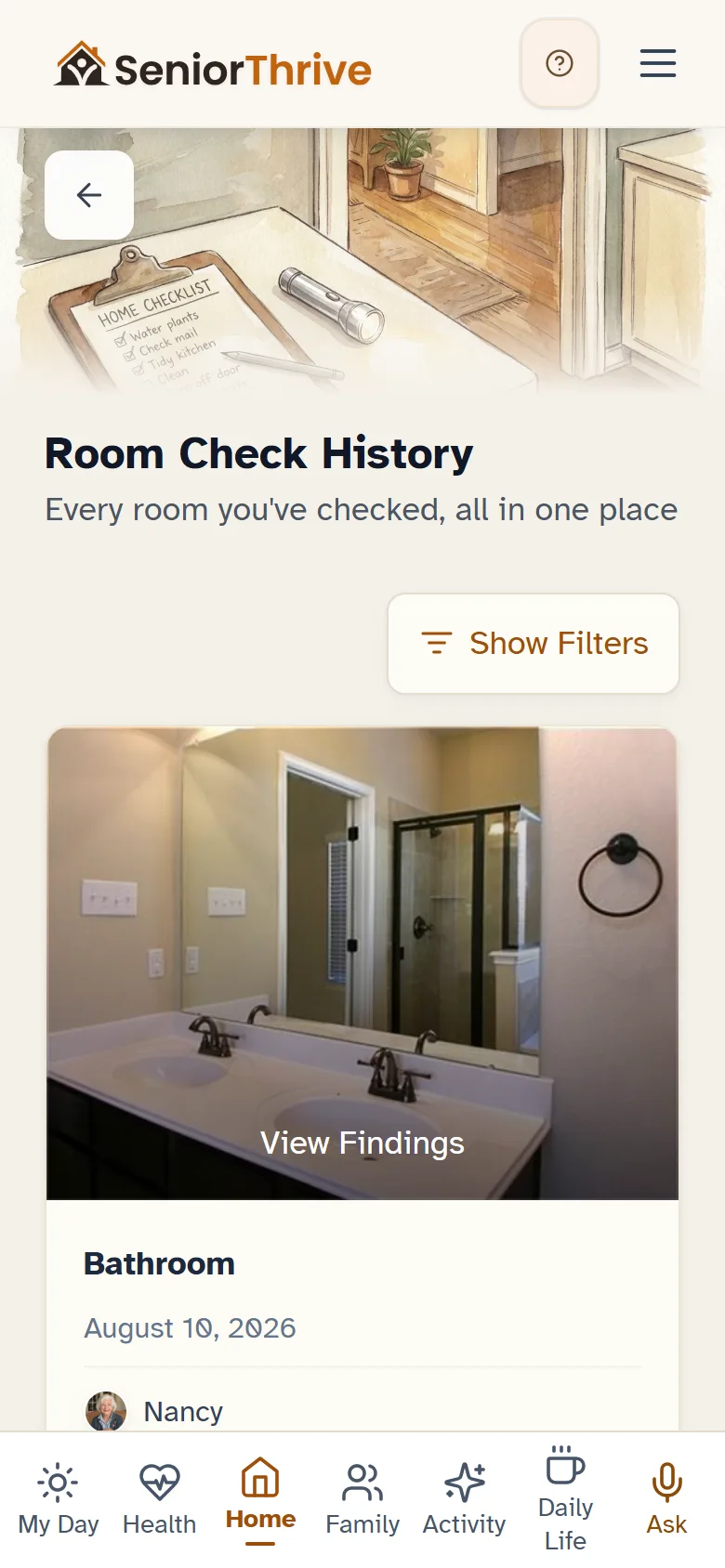
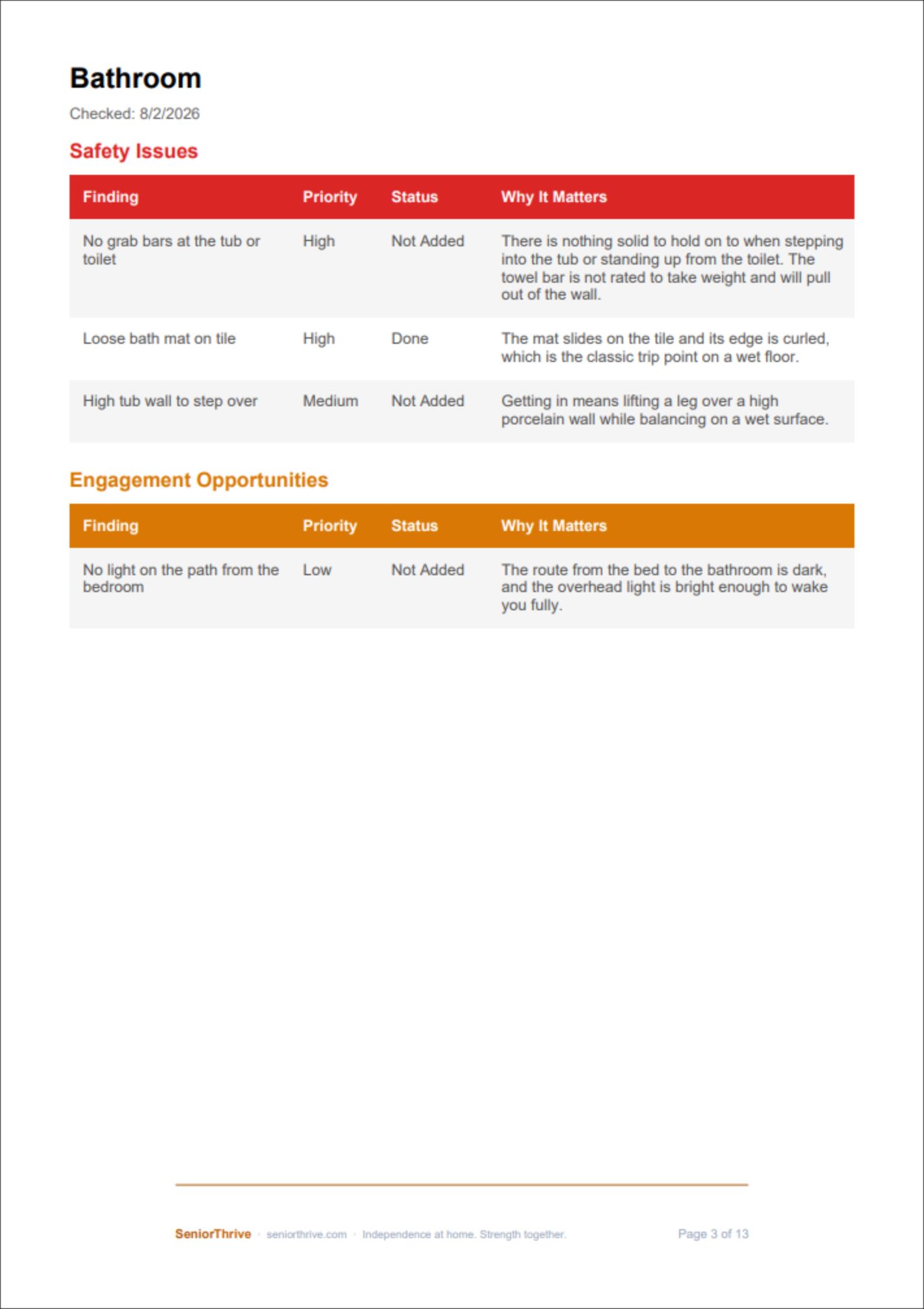
- Take a photo of the room. SeniorThrive looks at the house and shows what deserves attention. Room Safety Check returns findings and a Home Safety Score, with a short list of fixes that belong to that check.
- The person
- Daily check-ins, medications, and self-reported checks of daily living skills, life skills and mobility. Everything is entered by the older adult at home.
- The connection
- A family view where an adult child can see what is happening, set by the older adult in Privacy & Sharing.
It sends people back to you
At the moment it matters, SeniorThrive tells people to see their professional
Quoted from the app as it ships today.
Room Safety CheckOccupational therapist
"For a clinical home safety evaluation, talk with an Occupational Therapist."
Care PreferencesAttorney
"They use it to understand your wishes and to set up anything that needs to be made official."
Planning Ahead PDFAdvisor
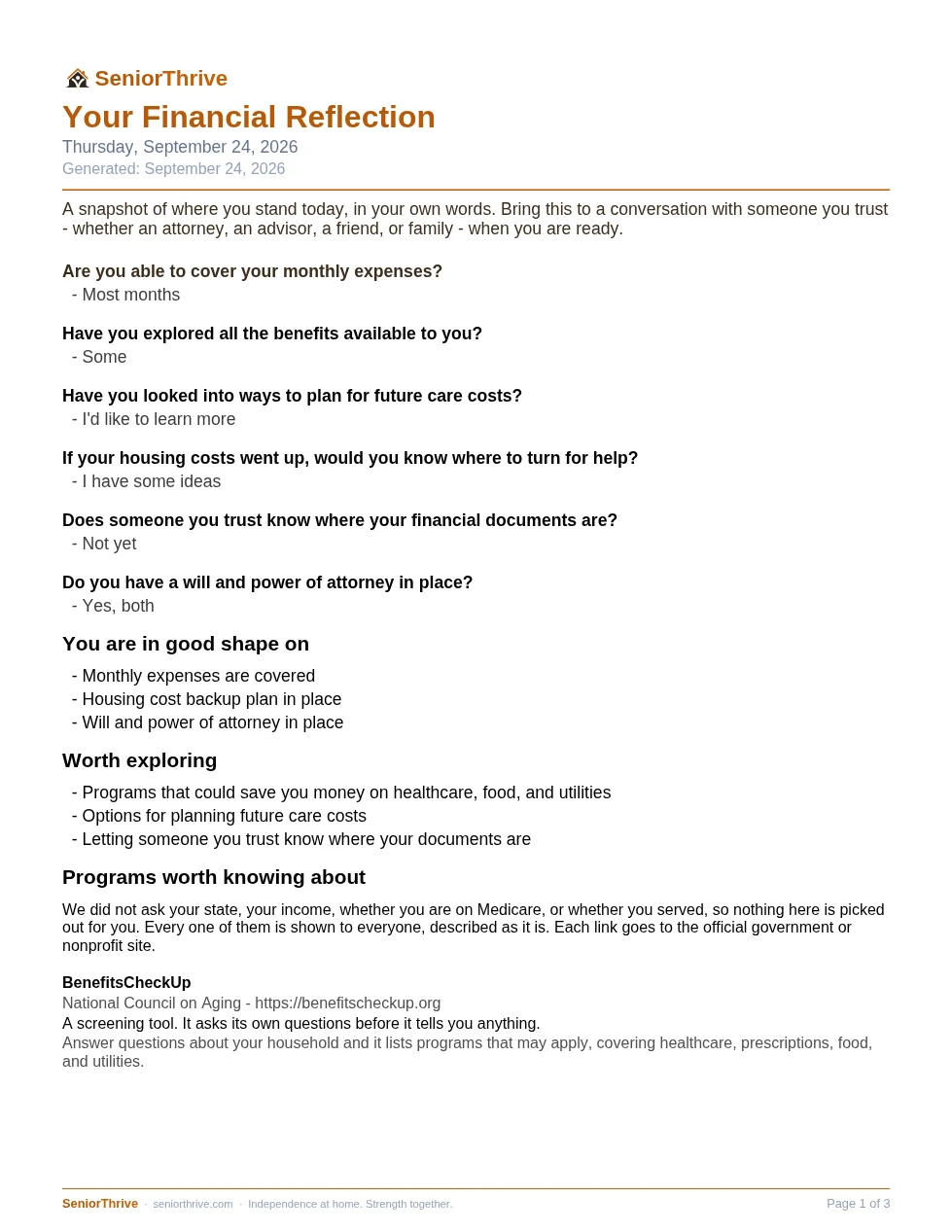
"Bring this to a conversation with someone you trust, whether an attorney, an advisor, a friend or family, when you are ready."
Home RepairArea Agency on Aging
"Connects you to your Area Agency on Aging, which can point you to local home-repair, accessibility, and safety programs you may not find anywhere else."
Care Team setupYour caregiver
"They join your Circle as a Caregiver and start logging visits."
Caregiver ActivityThe family
"Paid caregivers track each shift here, including the vitals and notes they record while they are there."
Room Safety CheckYour doctor
"For personalized recommendations, ask your doctor for an occupational therapy referral, or search for a licensed occupational therapist through AOTA."
What your clients take with them
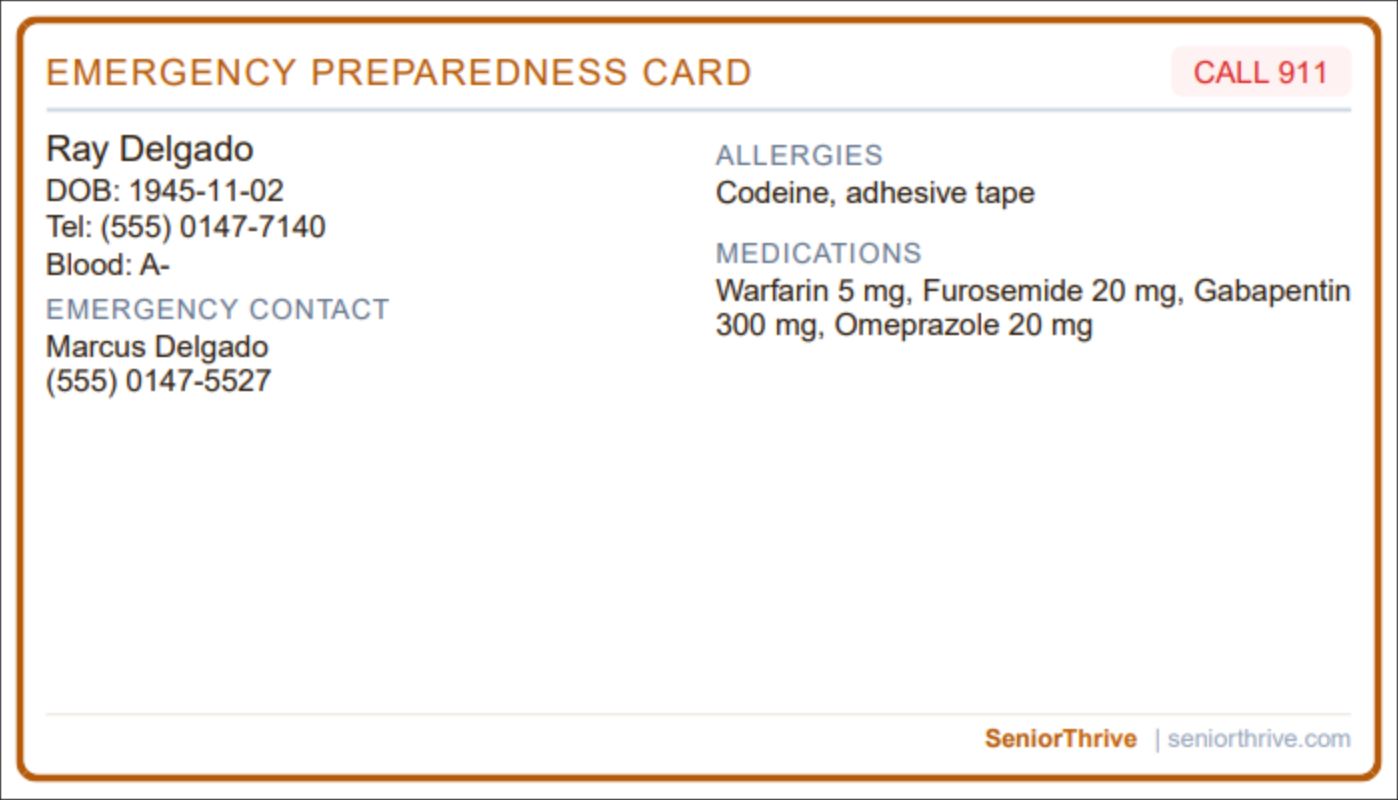
See the real documents a household leaves with, from a sample household.
Guides for professionals
Read more, or find a colleague near your client
Ready to see it with a client in mind?
Book a 15-minute walkthroughOr pick your field aboveWorks on any device
Use it however suits the household
SeniorThrive runs as an app on Android, with iPhone coming, and in any web browser on a phone, a tablet or a computer. Plenty of older adults use it on an iPad or a desktop at home.
- iPhone and iPad
- Opens in Safari today, and one tap adds it to the home screen. The SeniorThrive iPhone app is on its way to the App Store.
- Android phones and tablets
- Install the SeniorThrive app from Google Play, or open it in Chrome.
- Computer and Mac
- Full big-screen view with large text and comfortable controls. Nothing to install.
Before you share SeniorThrive
The four things you would want to know first
- What it costs your client
- A family member starts free, with no credit card. The 14-day free trial starts only when the older adult joins, and nothing is charged before it ends. After that, the Emergency Card and past Room Safety Check reports stay free. New Room Safety Checks, Planning Ahead, the daily living checks and family sharing are part of Essential at $29 a month for the older adult and one family member.
- What happens to their information
- We do not sell their health information, and it is never used to advertise to them. Sharing with family is the older adult's choice, set in Privacy & Sharing. Emergency details are always visible to their Circle in SeniorThrive so someone can act quickly.
- What we leave to you
- SeniorThrive organizes the home and the household. Diagnosis and clinical evaluation stay with professionals like you.
- Who sees inside
- Your client decides. You see inside only if they invite you into their Circle in SeniorThrive, and they can remove anyone at any time.
Talk to the founder
Questions about SeniorThrive, or how to share it with the people you serve? Write to Brian Fluhr, the founder, or book a walkthrough with him.
Book a 15-minute walkthrough[email protected]