Setting Up a Smart Home for Seniors: The Practical Independence Guide (2026)
Most smart home advice for older adults gets one crucial thing wrong: it treats a home like a gadget showroom rather than someone's private sanctuary. When adult children rush to install touchscreens, video cameras, and dozens of complex apps, the result isn't safety—it's anxiety, frustration, and devices unplugged and shoved into drawers.
The goal of smart home technology for aging in place isn't to turn your living room into a high-tech control center. It is to solve three specific, grounded problems: preventing nighttime falls, reducing physical strain, and providing family peace of mind without stripping away privacy or autonomy.
Here is how to set up a smart home that actually works: ranked from easiest to most complex, built around real daily routines, and designed to stay quietly in the background.
The Golden Rule of Smart Tech for Seniors
If a device requires an app to perform its basic daily function, it will eventually fail. The best smart devices for aging in place work automatically in the background (via motion or schedule), respond to natural voice commands, or maintain a physical switch on the wall. If the Wi-Fi drops or a phone battery dies, the house must still function like a house.
The 10 Smart Home Devices Ranked: Easiest to Most Complex
Rather than buying a 20-piece starter bundle, introduce devices one category at a time. Master one setup before unboxing the next.
| Device Type | Primary Safety Benefit | Install Difficulty | Typical Cost |
|---|---|---|---|
| 1. Motion-Activated Nightlights | Illuminates paths to bathroom; cuts fall risk in dark | Zero (Plug & Play) | $15 – $25 (pack of 2-3) |
| 2. Smart Voice Speaker | Hands-free emergency calls, reminders, intercom | Easy (10 min setup) | $35 – $65 |
| 3. Smart Plugs with Timers | Auto-shutoff for space heaters, coffee makers, irons | Easy | $10 – $20 each |
| 4. Voice-Controlled Bedside Lamp | Turn lights on before feet touch the floor | Easy | $12 – $20 per bulb |
| 5. Video Doorbell | Screen visitors without rushing to the door; deter scams | Moderate (Mounting/Battery) | $60 – $150 |
| 6. Ambient Motion & Door Sensors | Checks routine (fridge open, medicine box) without cameras | Moderate | $20 – $40 per sensor |
| 7. Smart Thermostat | Prevents hypothermia / heat exhaustion; family alerts | Moderate (Wiring check) | $80 – $180 |
| 8. Water Leak & Freeze Detectors | Catches overflowing tubs or pipe freezes instantly | Easy (Place on floor) | $30 – $50 |
| 9. Motorized Blinds / Shades | Eliminates reaching behind furniture and tangling cords | Complex (Mounting/Retrofit) | $70 – $250 per window |
| 10. Keyless Smart Deadbolt | No fumbling with keys; emergency code for family/EMS | Complex (Hardware swap) | $120 – $220 |
1. Fall Prevention Lighting: Your First and Most Impactful Upgrade
Falls are the leading cause of fatal and non-fatal injuries among older adults, and a disproportionate number happen at night between the bed and the bathroom. When someone wakes up groggy, reaches into the dark for a switch, or navigates a shadowy corridor, a slip or misstep is always one misplaced foot away.
The Two-Tier Lighting Strategy
- The Amber Pathway: Place motion-activated, plug-in LED nightlights along baseboards in hallways and bathrooms. Choose soft amber (under 2700K) rather than harsh blue-white light, which disrupts sleep cycles and creates blinding glare when pupils are dilated in the dark.
- The Voice-Activated Bedside Lamp: Replace the bedside bulb with a simple smart bulb paired with a smart speaker. The rule: never let feet hit the floor in the dark. A simple phrase—"Alexa, light on"—floods the room with gentle light before standing up.
Tip: Always keep traditional lamps plugged into sockets where the physical wall or lamp switch still works. If someone doesn't want to speak, clicking the switch should still turn the light on.
---2. Voice Assistants: Why Voice Beats Screens for Aging in Place
Smartphone touchscreens are challenging for older adults with tremor, arthritis, cataracts, or macular degeneration. Small icons, accidental swipes, and multi-factor authentication codes cause daily frustration.
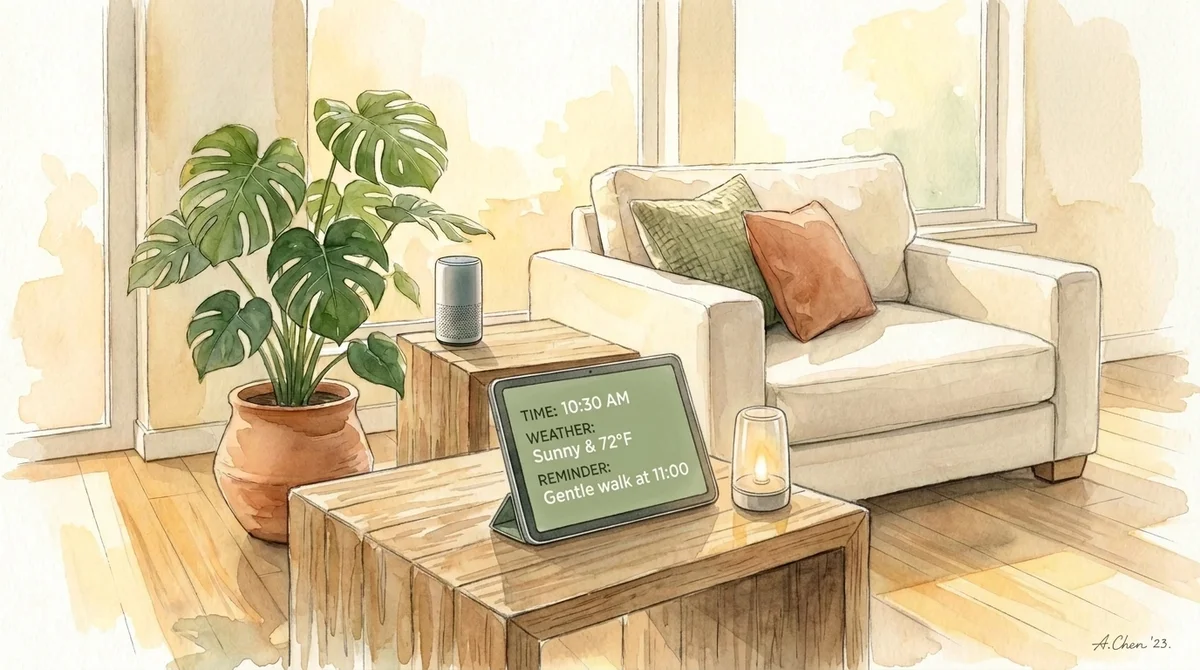
Voice-first assistants (like Amazon Echo or Google Nest Audio) bypass physical screens entirely. Once configured, they serve four critical functions:
- Hands-Free Calling: If someone falls and cannot reach their phone or landline, they can call out: "Alexa, call Sarah" or "Alexa, call for help." (Note: While smart speakers can call designated family contacts, standard units cannot dial 911 directly without a paid service like Alexa Emergency Assist or a connected hardware bridge).
- Audio Reminders: Set recurring verbal reminders for hydration, doctor appointments, or taking evening medications out of the Medicine Cabinet. Hearing a friendly voice say "It's 7:00 PM, time to take evening pills with water" is far more effective than an easy-to-ignore phone beep.
- Two-Way Family Intercom: The "Drop-In" feature allows approved adult children to check in verbally if an older parent isn't answering their phone, providing immediate audio reassurance without forcing them to rush across the room to answer.
- Cognitive and Social Engagement: Playing favorite radio stations, audiobooks, checking baseball scores, or asking daily trivia keeps minds active without needing complex remote controls.
3. Appliance Safety: Smart Plugs for Space Heaters and Kitchen Appliances
Memory slips happen to everyone, but when a slip involves high-draw heating elements, the consequences can be catastrophic. Space heaters, electric irons, curling wands, and coffee pots are top culprits in residential senior safety incidents.
Smart plugs provide an immediate, inexpensive safety layer:
- Automated Cutoffs: Configure smart plugs with an automatic auto-off timer rule (e.g., any power draw running longer than 90 minutes automatically shuts down).
- Scheduled Nights: Ensure space heaters connected to smart plugs turn off automatically at 10:00 PM, preventing unattended overnight fire hazards.
- Remote Family Verification: If an adult child or parent worries while away from home ("Did I leave the iron on?"), checking the smart plug app confirms status instantly and allows remote shutoff.
Electrical Safety Notice: Ensure any smart plug used with a space heater is rated for 15 amps / 1800 watts with UL or ETL safety certification. Never plug a space heater into a cheap, undersized extension cord or power strip.
---4. Entrance Security: Video Doorbells and Smart Locks
Unsolicited door-to-door salesmen, aggressive contractors, and package thieves represent real threats to seniors living alone. Furthermore, rushing to answer a knock at the door is a frequent cause of indoor falls.
Video Doorbells
A battery-powered or hardwired video doorbell gives an older adult a clear look at who is outside via their smartphone, tablet, or a smart display (like an Echo Show) without getting out of their chair. Two-way audio lets them say "Leave the package on the porch" or "We are not interested" without opening the door to strangers.
It also gives adult children visibility into who is visiting, deterring predatory door-to-door scams. (If you ever suspect a suspicious flyer or contractor offer, run it through SeniorThrive's free Scam Checker).
Keyless Smart Locks
Arthritis can make gripping and twisting small metal keys painful. A smart lock with an illuminated pushbutton keypad allows easy entry with a 4-digit code. Crucially, it allows family members, neighbors, or emergency first responders to enter without damaging the door if an emergency occurs.
---5. The Privacy and Dignity Dilemma: Cameras vs. Ambient Sensors
The single biggest point of friction between aging parents and their adult children is surveillance.
Well-meaning adult children often suggest placing indoor video cameras in the living room, kitchen, or hallway so they can "keep an eye on Mom." To Mom, this feels like living in an interrogation room or being treated like a toddler. It erodes dignity, breeds resentment, and often leads to the parent unplugging the camera or draping a dish towel over the lens.
Why Ambient Sensors Win Over Cameras
You do not need video footage to know whether your loved one is safe and maintaining their routine. Ambient sensors provide complete reassurance with zero invasion of privacy:
- Refrigerator Contact Sensor: Tells you if the fridge door opened between 7:00 AM and 10:00 AM, confirming breakfast happened.
- Motion Sensor in Hallway: Confirms movement from the bedroom in the morning without broadcasting a video stream of someone in their pajamas.
- Front Door Sensor: Alerts family if the door opens at unusual hours (such as 2:00 AM), which is crucial for early cognitive decline or wandering.
- Bathroom Motion / Humidity Sensor: Confirms hygiene routines without ever placing a lens anywhere near a private space.
If you are navigating this delicate conversation with your family, explore our guide on The SeniorThrive 5-Question Framework to agree on clear boundaries before buying hardware.
---6. Recommended Starter Bundles by Budget
You do not need to invest thousands of dollars upfront. Here are three realistic setups:
Tier 1: The Safety Foundation (Under $100)
- 3x Plug-in Motion Nightlights ($20): Bedroom, hallway, bathroom.
- 1x Smart Speaker ($35): Amazon Echo Dot or Google Nest Mini for voice reminders and timers.
- 2x Smart Plugs ($25): For bedroom lamp and space heater / coffee maker.
What it delivers: Zero fall risks from walking in the dark, hands-free voice control, and automatic appliance safety.
Tier 2: The Independent Living Pack ($250 – $350)
- Everything in Tier 1.
- 1x Smart Video Doorbell ($70 – $100): Ring, Blink, or Nest battery doorbell.
- 2x Smart Contact Sensors ($40): On the refrigerator and front entry door.
- 1x Smart Water Leak Sensor ($30): Next to the water heater or behind the main toilet.
- 1x Smart Thermostat ($80): Programmable temperature safety with family freeze alerts.
What it delivers: Complete entrance security, flood prevention, and non-intrusive daily routine confirmation for family.
Tier 3: The Comprehensive Age-in-Place Suite ($500 – $750)
- Everything in Tier 1 and 2.
- Keyless Smart Deadbolt ($140): Keypad entry with family emergency codes.
- Smart Display ($80): Echo Show 8 or Nest Hub for video calls with grandchildren.
- Motorized Window Blind Retrofit ($150 – $250): For hard-to-reach living room windows.
What it delivers: Comprehensive accessibility, eliminated physical strain, and complete remote coordination for family caregivers.
---7. Wi-Fi Reliability and Technical Rulebook
Smart home hardware is only as good as the wireless network supporting it. Before installing devices, follow these infrastructure rules:
- Check the 2.4 GHz Band: 95% of smart plugs, bulbs, and sensors require a 2.4 GHz Wi-Fi signal (which travels through walls better than 5 GHz). Ensure your home router supports dual-band and does not block legacy 2.4 GHz connections.
- Eliminate Dead Zones with Mesh: If your parent lives in a multi-story home or an older building with plaster or brick walls, a single ISP modem will produce dead zones in back bedrooms or bathrooms. A simple 2-pack or 3-pack Mesh Wi-Fi system (such as eero or TP-Link Deco) guarantees strong signal in every room.
- Write Down the Network Reference Sheet: Create a physical laminated index card kept in a kitchen drawer with the Network SSID, Wi-Fi password, and the phone number of the family member who manages the tech.
- The Power Outage Test: Unplug the router for 60 seconds, plug it back in, and observe what happens. Do the smart bulbs turn back on to their default state? Does the door lock stay locked? The system must be fail-safe when the power cycles.
Where to Go From Here
Technology is never a replacement for human connection, care, or regular in-person safety reviews. It is simply a set of tools that buy independence, dignity, and time.
Before buying devices, start by evaluating the physical home environment itself. Take our free 2-minute Home Safety Check-In to identify your home's top fall and accessibility hazards, or use our Value Calculator to see how smart prevention compares to the real cost of assisted living.
---Frequently Asked Questions
What is the best smart home ecosystem for seniors?
Amazon Alexa currently offers the most flexible voice-first experience and widest hardware compatibility for older adults. Apple HomeKit is excellent for families where everyone already uses iPhones and privacy is the paramount concern. Google Home works seamlessly if your parent uses an Android tablet or phone. Pick one ecosystem and do not mix them in the same house.
Can smart home devices call 911 in an emergency?
Standard smart speakers (like Alexa or Google Home) cannot dial 911 directly out of the box due to FCC telecommunications regulations regarding location-based dispatch. However, they can call designated family contacts hands-free, or connect to emergency response teams through dedicated subscriptions like Alexa Emergency Assist or third-party monitoring services.
How can adult children monitor an elderly parent without invading their privacy?
Replace indoor video cameras with ambient sensors: motion detectors in hallways, contact sensors on the refrigerator and pantry door, and smart water sensors in the bathroom. These allow you to verify that your loved one is up, moving, eating, and safe without broadcasting video feeds of their private living spaces.
What happens to smart home devices if the Wi-Fi or power goes out?
Well-designed smart home devices maintain manual fallbacks. Smart door locks still operate with a physical key or numeric code; smart light switches can still be clicked by hand; and battery-operated nightlights will continue to function. Always ensure critical safety elements do not rely solely on an active cloud connection.
Do seniors need a smartphone to use smart home technology?
No. An adult child or caregiver can set up the devices using their own phone or a shared tablet during installation. Once configured, the older adult can interact entirely through voice commands, automated motion sensors, or simple wireless buttons without ever touching a smartphone.
How much does it cost to set up a basic smart home for an aging parent?
A high-impact starter setup (motion nightlights, a smart speaker, and two smart plugs for lighting and heater cutoff) costs less than $100. A comprehensive package including a video doorbell, door sensors, smart thermostat, and water leak detection typically costs between $250 and $400.