The Best Health and Wellness Apps for Seniors: Mind, Body, and Connection
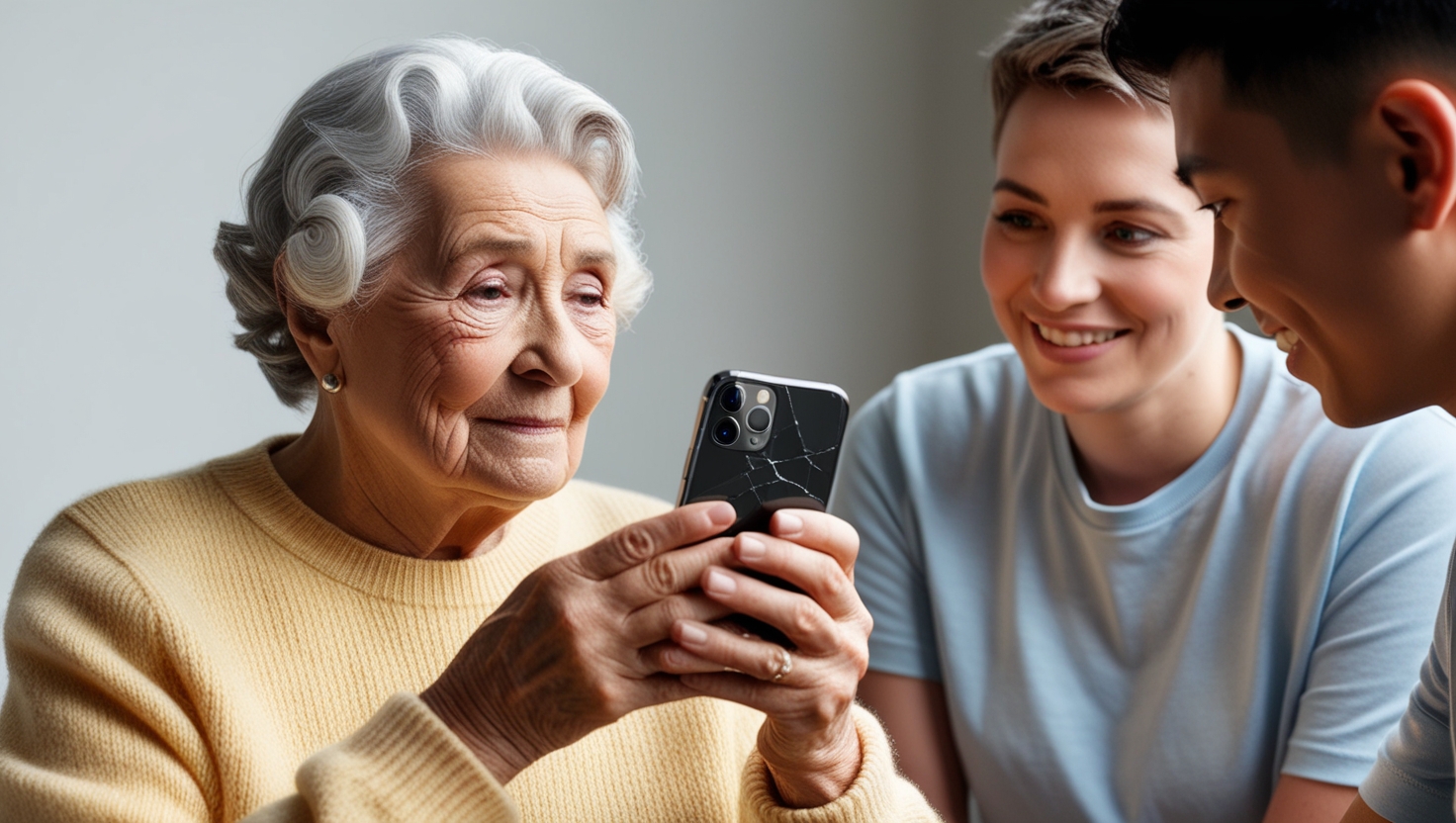
Your mind, your body, and your connections with people you love all deserve daily attention. The good news? A handful of well-chosen apps can help you strengthen all three, right from the comfort of your own home. Whether you want to sharpen your memory, stay on top of medications, get moving with gentle exercises, or video-chat with grandchildren across the country, there is an app built with you in mind.
Health apps for seniors are not complicated gadgets reserved for tech experts. They are practical, everyday tools designed with larger text, simpler navigation, and features that respect the way you prefer to live. In this guide, we will walk through the best senior wellness apps across every category that matters: brain fitness, physical health, medication management, social connection, and more. Along the way, you will pick up tips for choosing the right app and using it with confidence.
Why Health Apps Matter for Older Adults
Technology in healthcare has come a long way. Today's health apps go far beyond simple step counters. They form small ecosystems that can remind you to take your pills, connect you with a doctor through video, track your blood pressure trends, and even alert a family member when something looks off. For older adults, these tools support independence and offer peace of mind to the people who care about you.
Studies show that consistent use of senior health apps correlates with improved mental health outcomes, stronger medication adherence, and fewer emergency room visits. One study found that seniors who used a medication reminder app reduced missed doses by over 40 percent. Another showed that regular use of brain-training games helped maintain cognitive performance over a 12-month period compared to a control group.
The key is finding the right mix of apps that fits your lifestyle. You do not need ten apps. Two or three well-chosen ones can make a meaningful difference. Think of them as digital companions that quietly support the things you already care about: remembering your medications, staying active, keeping your mind engaged, and feeling connected to people you love.
Brain-Training Apps: Keeping Your Mind Sharp
As we get older, it is normal for cognitive abilities to shift. You might notice occasional forgetfulness, trouble concentrating, or difficulty following a fast-moving conversation. Recognizing these changes early is not about fearing the future. It is about taking action. Just like physical fitness, brain fitness responds to regular exercise.
Brain-training apps offer stimulating challenges that can improve memory recall, sharpen problem-solving skills, and boost mental agility. Many use colorful graphics and game-like elements that make the experience feel less like homework and more like play. Some even incorporate mindfulness techniques, pairing calming visuals or soothing soundscapes with cognitive exercises so you strengthen your focus and your emotional balance at the same time.
The best brain-training apps adapt to your abilities. They start easy and grow harder as you improve, so you are always working at the edge of your comfort zone without feeling overwhelmed. Here are three of the best options for older adults.
Lumosity
Lumosity is one of the most popular brain-training platforms, with games designed by neuroscientists. It targets memory, attention, and problem-solving through challenges that adapt to your skill level. You start at a comfortable pace, and the difficulty increases as you improve. Lumosity also tracks your progress over time, showing you clear graphs of how your cognitive scores evolve week by week. That visible progress is motivating. Even ten minutes a day can build a meaningful habit, and many users find that their daily Lumosity session becomes something they genuinely look forward to.
Peak
Peak offers more than 40 games that cover language, math, emotional intelligence, and more. Its short daily workouts are tailored to your preferences and strengths, making it easy to fit into your morning routine. A built-in "memory coach" guides you through features step by step, which is especially helpful if you are new to brain-training apps.
Elevate
Elevate takes a slightly different approach by emphasizing communication skills alongside traditional cognitive exercises. The app targets reading comprehension, writing, and listening skills, making it a great fit if you enjoy conversation and want to stay sharp for lively discussions with family and friends. Its clean layout is designed for easy navigation.
Medication Management: Never Miss a Dose
Managing multiple medications is one of the most common challenges for older adults. If you take three or more prescriptions, keeping track of what to take, when to take it, and which pills should not be combined requires real attention. Missed doses, incorrect timing, and potential drug interactions can lead to hospital visits that could have been avoided.
Medication management apps act as a reliable safety net. They send reminders at the right time, organize everything in one place, and in some cases alert a family member or caregiver if a dose is missed. For many seniors, these apps bring structure and peace of mind to a daily task that used to feel stressful.
Medisafe
Medisafe is one of the most trusted medication management apps available. It sends timely reminders to take your medications, alerts you to potential drug interactions, and even lets a family member or caregiver monitor adherence remotely. If you take several prescriptions, Medisafe brings clarity to what can otherwise feel overwhelming.
Pillboxie
Pillboxie uses a visual, drag-and-drop interface that makes organizing medications straightforward, even if you do not consider yourself tech-savvy. You see a clear picture of each pill alongside the time you need to take it. Simple reminders ensure nothing slips through the cracks.
MedManage
MedManage goes a step further with interactive pill calendars and automated reminders. It also flags potential drug interactions, which is especially valuable when multiple doctors prescribe medications for different conditions. Users consistently praise its intuitive interface and report fewer missed doses after adopting it.
Fitness and Physical Activity: Stay Moving, Stay Strong
Physical activity and cognitive function share a deep connection. When you move your body, you are also giving your brain a workout. Regular movement boosts blood flow to the brain, helps manage weight, lifts your mood, and builds the strength and balance you need to stay independent in your own home. Research consistently shows that seniors who exercise regularly experience slower cognitive decline and fewer falls.
The best fitness apps for seniors offer exercises adapted to different ability levels, so you can participate whether you are a daily walker or just getting started. Many include video demonstrations, progress tracking, and options for both solo and group workouts.
SilverSneakers GO
SilverSneakers GO is built specifically for older adults. It offers customizable workout programs including strength, cardio, and flexibility exercises. You can also browse schedules for in-person and virtual group classes. Low-impact options, chair exercises, and yoga for flexibility make it easy to find something that fits your comfort level. Many Medicare Advantage plans include SilverSneakers membership at no extra cost, so check your benefits before assuming you need to pay.
FitOn
FitOn provides a wide range of free workout videos, from strength training to gentle tai chi sessions. What sets FitOn apart is its emphasis on group workouts that foster a sense of community and accountability. Having someone to exercise alongside, even through a screen, can make all the difference in staying motivated. The app also lets you invite friends to work out together, turning a solo activity into a shared experience.
MyFitnessPal
MyFitnessPal helps you track both diet and exercise in one place. With an extensive database of foods, you can log meals and see nutritional breakdowns at a glance. If you are working on managing your weight or improving your eating habits, MyFitnessPal provides the insights you need without complicated setup.
Mindfulness and Relaxation: Calm Your Mind
Mindfulness is not a buzzword. It is a proven practice that reduces stress, improves focus, and supports emotional well-being. At its simplest, mindfulness means paying attention to the present moment without judgment. For seniors navigating the changes that come with getting older, a few minutes of daily mindfulness can make a noticeable difference in how you feel.
Calm
Calm offers guided meditations, breathing exercises, and sleep stories. Sessions range from three minutes to over an hour, so you can fit one into any schedule. Its soothing visuals and soundscapes create a relaxing environment that makes it easy to stick with the practice.
Headspace
Headspace provides structured meditation courses that gently build your skills over time. Its user-friendly interface walks you through each session with clear instructions. Many users find that starting with Headspace's beginner courses gives them the confidence to make mindfulness a lasting habit.
You do not need to meditate for an hour to see benefits. Even five minutes of focused breathing over morning tea can create a ripple of calm that carries through your day.
Staying Social: Apps That Keep You Connected
Social interaction is essential for mental wellness as we get older. Research shows that loneliness carries health risks comparable to smoking 15 cigarettes a day. Staying connected with family, friends, and community helps keep your mind engaged, your spirits high, and your overall health stronger. Fortunately, today's technology makes it easier than ever to stay in touch, whether your loved ones live next door or across the country.
The apps below range from video calling platforms to private health support communities. You do not need to use all of them. Pick the one or two that match how you prefer to communicate.
Zoom
Zoom has become a favorite for virtual gatherings. Whether it is a weekly family catch-up, an online class, or a community group meeting, Zoom provides face-to-face connection without leaving home. Many senior centers and libraries now host Zoom-based programs specifically for older adults, covering topics from chair yoga to book discussions. If you have a grandchild who lives far away, a regular Zoom call can become a treasured weekly tradition for both of you.
Facebook and Interest Groups
Facebook lets you join interest-based groups where you can share posts, swap stories, and stay in the loop with friends and family. Groups focused on hobbies like gardening, cooking, or local history offer a welcoming space to meet people with similar passions.
WhatsApp makes it simple to send quick messages, photos, and voice notes to individuals or groups. Its straightforward design works well for staying in daily contact with family, even when they live far away.
CaringBridge
CaringBridge provides a private, secure space where you can share health updates with loved ones and receive messages of support. During health challenges, this app fosters the kind of community connection that makes a real difference in recovery and morale.
Meetup
Meetup connects people based on shared interests, from book clubs and hiking groups to art classes and volunteer opportunities. It is one of the easiest ways to find local activities and meet new people in your area.
Managing Chronic Conditions with Technology
Living with a chronic condition like diabetes, heart disease, or hypertension requires daily vigilance. Tracking numbers, remembering medication schedules, and watching for warning signs can feel exhausting, especially when you are managing more than one condition at once. Health apps built for condition management take some of the mental load off your shoulders by tracking data, flagging concerns, and keeping your healthcare team informed.
These apps also give you a clearer picture of your own health trends. When you can see a chart showing how your blood pressure has improved over two months, or how your blood sugar responds to different meals, you gain the kind of insight that turns guesswork into confidence.
Blood Pressure and Heart Health
SmartBP lets you log blood pressure readings, view trends over time, and share reports directly with your doctor. If you are managing hypertension, seeing your numbers laid out in a clear chart helps you understand what is working and where adjustments may be needed.
For more comprehensive monitoring, apps like HealthTracker Pro integrate with wearable devices to track blood pressure, glucose levels, and heart rate in real time. That data can be shared with healthcare providers so they can make informed decisions between office visits.
Diabetes Management
Apps like MySugr and Glucose Buddy help you monitor blood sugar levels, log meals, set medication reminders, and track patterns over time. Users report that the simple act of logging daily numbers builds awareness and confidence in managing their condition. Fewer surprises at the doctor's office is a benefit that both you and your care team will appreciate.
Telehealth: See a Doctor from Home
Getting to a doctor's office is not always easy, especially if you have mobility challenges, live in a rural area, or simply want to avoid a long wait for a routine follow-up. Telehealth apps connect you with a physician through video or phone, so you can receive medical advice, follow-up care, and even prescriptions without leaving home. During cold and flu season or when illness makes travel difficult, telehealth can be a genuine lifeline.
Heal
Heal connects you with doctors for virtual consultations and, in certain areas, even arranges in-home visits. For routine check-ins, prescription renewals, or quick medical questions, Heal removes the barrier of transportation and waiting rooms.
WebMD
WebMD is a comprehensive health resource that includes a symptom checker, medication information, and a healthy living section. While it is not a replacement for professional medical advice, it empowers you to research conditions and treatments so you can have more informed conversations with your doctor.
Protecting Your Personal Health Data
When you use health apps, you are sharing sensitive information. Taking a few precautions ensures your data stays safe.
- Choose reputable apps. Look for apps from well-known developers with strong user reviews. Check that the app complies with privacy regulations like HIPAA.
- Enable two-factor authentication (2FA). This adds an extra layer of security every time you log in.
- Keep apps updated. Software updates often include security patches that protect against new threats.
- Read privacy policies. Before downloading, take a moment to understand how the app handles your data. If a family member or caregiver is helping you choose, ask them to review the policy together.
A little caution goes a long way. The vast majority of popular health apps take data security seriously, and following these steps keeps you in control. If you ever feel unsure about an app's safety, ask a trusted family member or your local senior center for guidance. They can help you evaluate whether an app is worth your trust.
Tips for Choosing and Using Apps Effectively
With so many options available, picking the right app can feel overwhelming. Here are practical guidelines to help you get started and stay engaged.
Start Small
Choose one or two apps that address your most pressing needs. If medication management is your biggest concern, start there. If you want to sharpen your mind, pick one brain-training app and commit to ten minutes a day. You can always add more later.
Build a Routine
Attach app time to something you already do. Use a brain-training app over morning coffee. Check your medication reminders after breakfast. Practice a guided meditation before bed. Pairing new habits with existing ones makes consistency easier.
Look for Senior-Friendly Design
The best apps for older adults feature large text, clear icons, simple navigation, and voice command options. Avoid apps that feel cluttered or require many steps to complete a basic task. A straightforward registration process is also a good sign.
Share the Experience
Tell friends or family about the apps you are enjoying. You might start an informal "app club" where you swap tips and compare scores on brain games. The social element keeps things fun and creates accountability.
Involve Your Support Network
Family members and caregivers can play an important role. Exploring apps together helps you feel comfortable and gives them insight into what works for you. A caregiver might notice features you overlooked, and you might discover preferences you did not know you had.
Adjust as You Go
No app is one-size-fits-all. If something is not working, try a different one. Keep an open dialogue with your family or caregiver about your progress and preferences. The goal is to find tools that genuinely improve your day, not add stress to it. Remember that your needs may change over time, and the apps you choose should change with them. What helps you today might be different from what helps you a year from now, and that is perfectly fine.
What Is Coming Next in Senior Health Tech
The world of health apps for seniors continues to evolve. Here are three trends worth watching.
- Personalized recommendations powered by data. Future apps will analyze your health history and daily habits to suggest tailored exercises, dietary plans, and wellness activities that match your specific needs.
- Deeper wearable integration. Smartwatches and fitness trackers will share real-time vital signs directly with your health apps and care team, enabling earlier detection of potential issues.
- Smarter interfaces driven by AI. Predictive text, voice navigation, and chatbots that answer common health questions will make apps even easier to use, reducing the learning curve for anyone new to technology.
These advances point toward a future where staying on top of your health requires less effort and delivers more value. The technology is getting smarter so you do not have to work harder. For seniors who may feel uncertain about digital tools today, the encouraging news is that apps are becoming simpler, more intuitive, and more helpful with every update.
Your Next Step: Start Thriving Today
Health and wellness apps give you practical tools to strengthen your mind, support your body, manage your health conditions, and stay connected with the people who matter most. You do not need to adopt every app on this list. Pick one that speaks to your biggest need right now, spend a few minutes exploring it, and see how it feels.
Technology is not here to replace the human touch. It is here to support the life you want to live: independent, informed, and connected. Whether you are solving a puzzle on Lumosity over breakfast, checking your blood pressure with SmartBP, or laughing with your grandchildren on Zoom, every small step counts.
At SeniorThrive, we believe you deserve tools that make thriving in your own home easier and more enjoyable. Explore our platform for personalized safety assessments, wellness tracking, and a community built around living well at every stage. Ready to take the first step? Start your free trial and discover what is possible.